
Squad tools
Contribution de Viron et exhausted_ghost
Ce contenu n’est pas encore disponible dans votre langue.
Free websites made by the community. None of them run inside the game: keep them open on a second screen, or check them before the match.
SquadCalc: mortar calculator
Section titled “SquadCalc: mortar calculator”A mortar map overlay: put your mortar and your target on the map and SquadCalc gives you the elevation and bearing to fire. It uses the map’s height data, so it corrects for targets up or down a hill, and it handles every mortar type in the game, including technicals and rocket launchers.
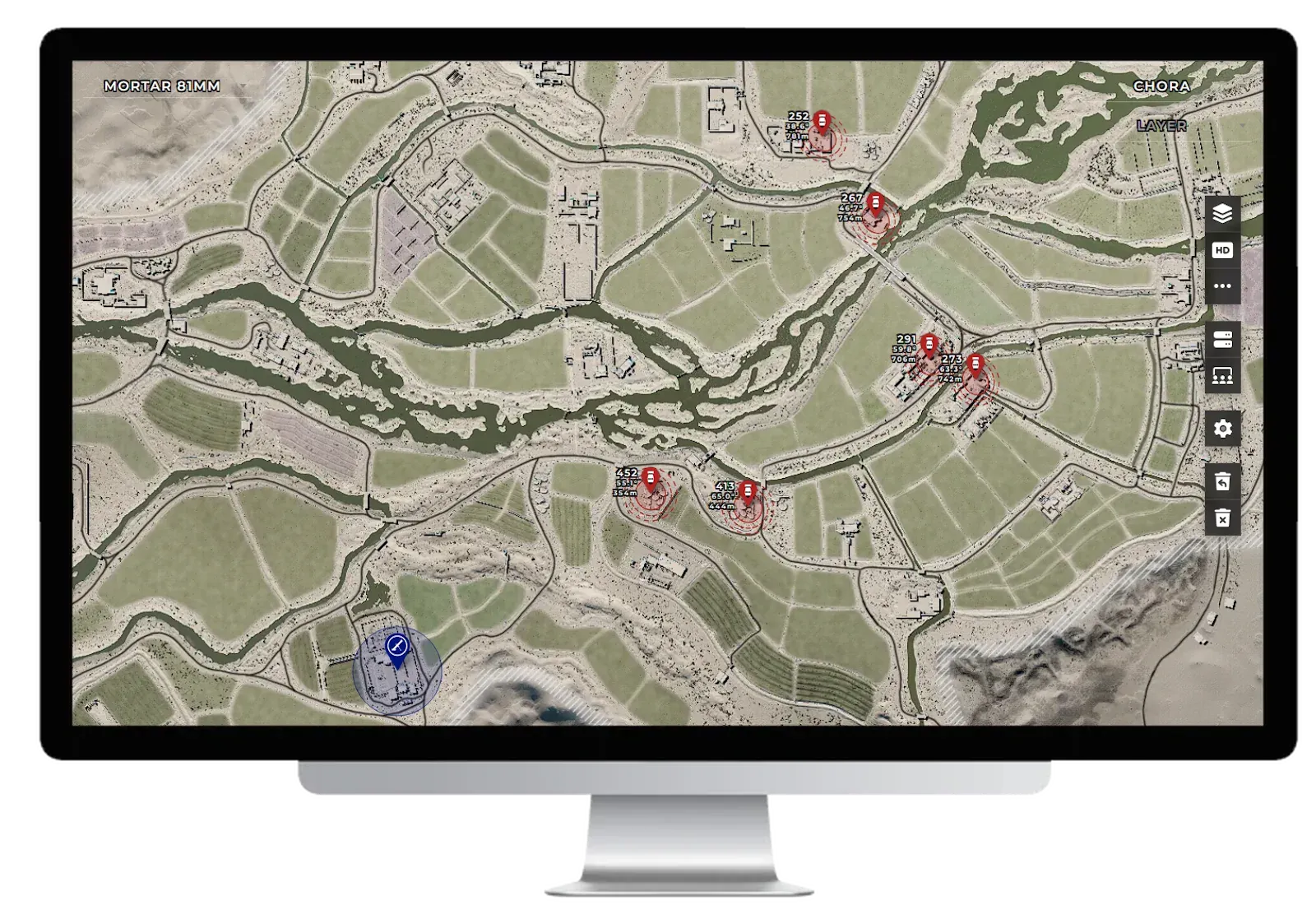
- Mortar crews: it’s the calculator everyone uses. See Mortars: setup for its features.
- Everyone else: check where enemy mortars could reach your HAB from.
SquadMaps: every map and layer
Section titled “SquadMaps: every map and layer”A browser for every map and layer in the game. For each layer it shows:
- The factions, ticket counts and vehicle spawns for both teams.
- Capture points, and for RAAS layers the possible lanes, with how likely each one is.
- Grid overlays and different map views.
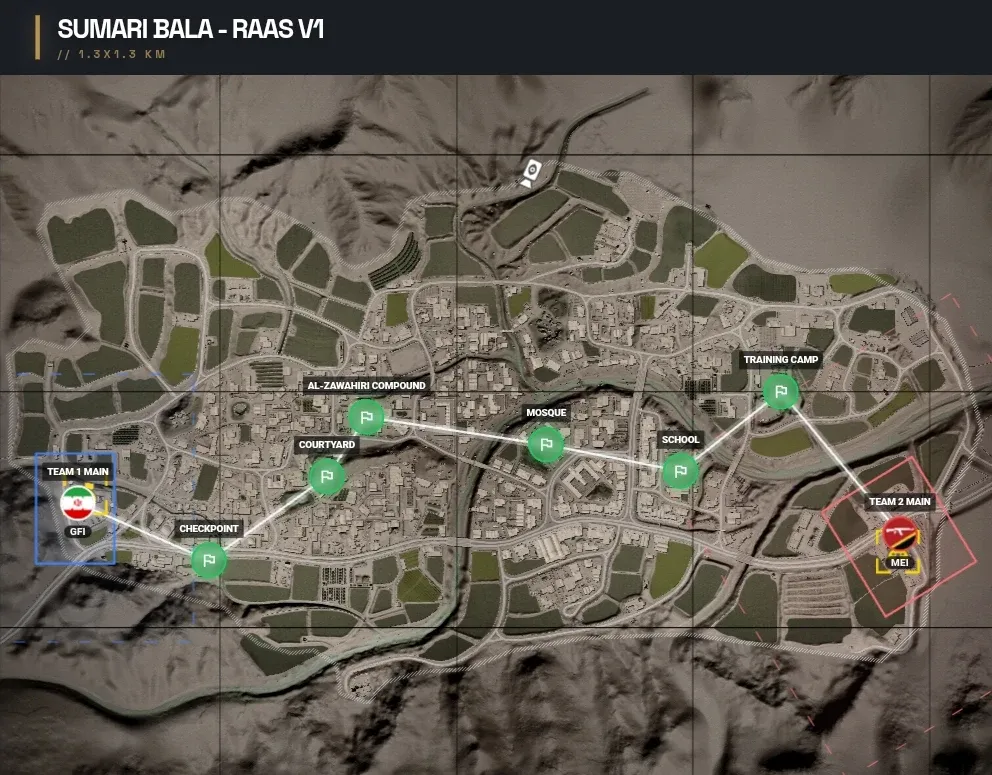
It can also follow a live server, switching to whatever layer it’s playing. Look up your layer while the map loads, so you know the enemy’s vehicles and the likely lanes before you spawn.
Line of sight
Section titled “Line of sight”Overlays → Line of Sight (beta). Click or drag the observer onto the map: everything that spot can see stays lit, and everything the terrain hides from it goes under fog. The fog opacity and view range sliders change how dark the fog is and how far the observer looks.
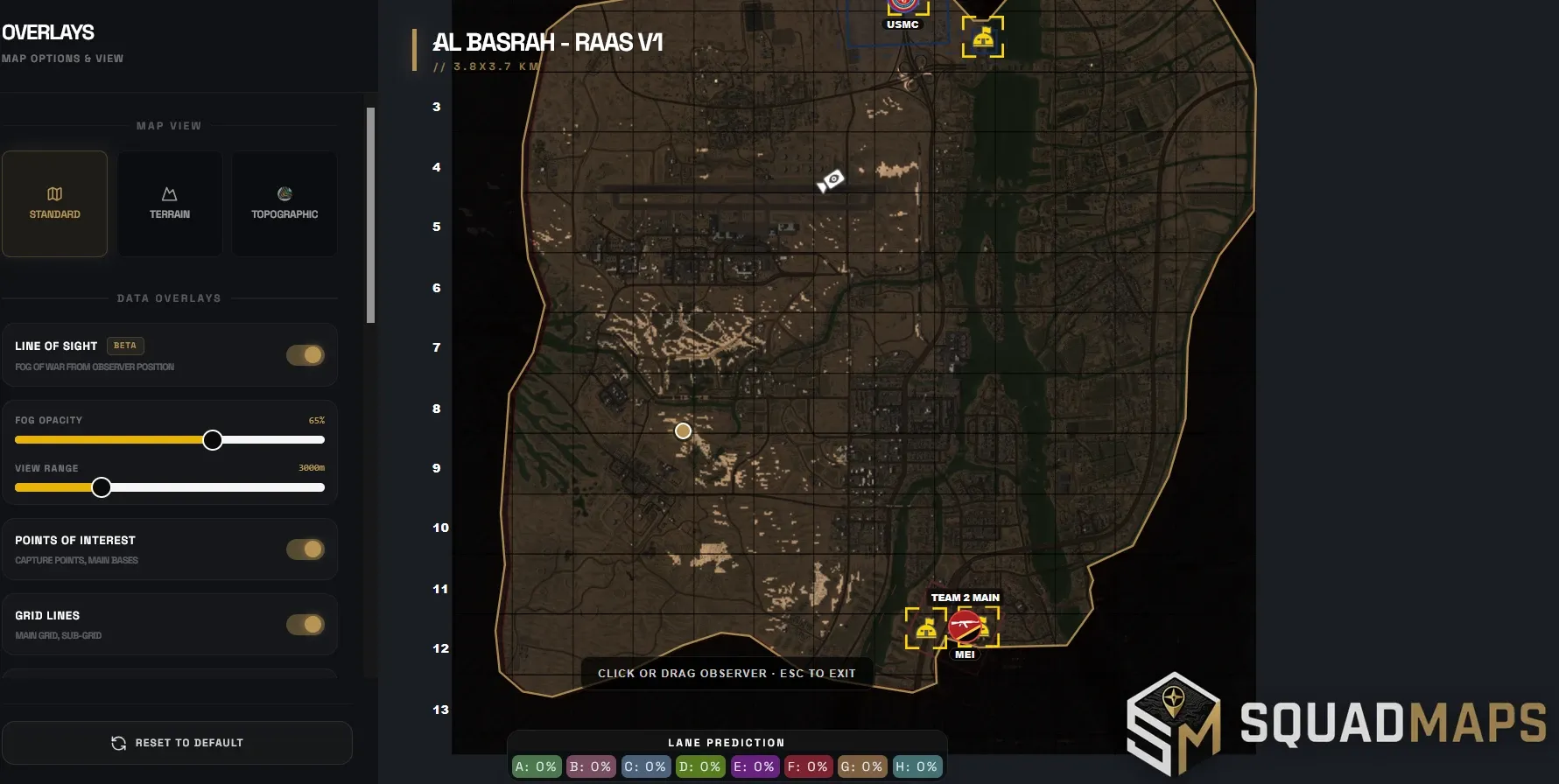
- Put the observer on your HAB or radio spot before you build it: every lit area is somewhere the enemy can see it from.
- Pick ambush and overwatch spots: positions that see a road or an objective, but little else.
- Plan routes for logis and vehicles that stay out of sight.
Squad Armor: armour viewer
Section titled “Squad Armor: armour viewer”squad-armor.com · made by MJH
A 3D viewer for every vehicle. Each coloured zone is a separate armour plate or component, so you can see exactly where the engine, the ammo rack and the thin plates are.
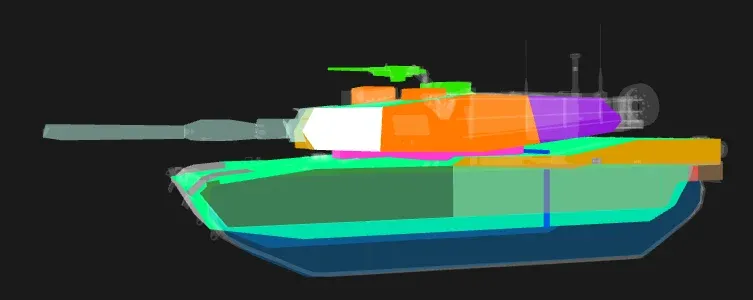
- AT players: find where to hit the vehicles the enemy faction will field. See Vehicle weak spots.
- Vehicle crews: learn where your own vehicle is weak, and which side to keep away from the enemy.
Squad Wiki: the community wiki
Section titled “Squad Wiki: the community wiki”The community wiki for Squad, with pages on the game’s factions, kits, vehicles, deployables and mechanics.
- Look up the details: what a deployable costs, how many a faction can build, how a mechanic works.
- Check how current a page is. The wiki has been written by many people over many versions of the game, and some pages still describe older versions.
Squad Intelligence: the game’s numbers
Section titled “Squad Intelligence: the game’s numbers”squadintelligence.com · run by Lukeesucks
A database of the game’s hard data: every faction, weapon, vehicle, role and emplacement, plus maps and layers.
- Weapons: damage and how it drops off with range, rate of fire, reload times, muzzle velocity and armour penetration. Handling too: aiming speed, sway standing, crouched and prone, and what you can and can’t do with it, like bipods, hip fire and leaning. Ratings compare each weapon with the others of its type, and every attachment configuration is listed with the factions that use it.
- Factions: every faction setup, with its vehicles and roles.
- Maps and layers, a map tool, an armour calculator, a kill matrix and a Learn section.
Use it when you want the exact number behind something in this manual, like how far your rifle keeps its full damage.
SquadBrowser: server browser
Section titled “SquadBrowser: server browser”A server browser outside the game. Use it to find and join servers when the in-game browser is down, which happens fairly often.
MySquadStats: player stats
Section titled “MySquadStats: player stats”Your stats, if you play on servers that report them. It also shows the squads and players on a server. It has been a bit buggy and poorly maintained lately, so some servers may not show up.
Squad Timeline: patch history
Section titled “Squad Timeline: patch history”The history of every patch in the game, from the very first days.
koodoo’s Squad Guide
Section titled “koodoo’s Squad Guide”An older community guide. It’s badly outdated on the game’s numbers and mechanics, but much of its tactical knowledge, competitive play included, is still worth reading.
Competitive tools
Section titled “Competitive tools”Sites built for the competitive scene.
Compelo: team rankings
Section titled “Compelo: team rankings”An ELO ranking for competitive Squad teams. Matches are logged on the site, and each team gets a rating, a match history and per-map results.
- Find scrim partners at your level: teams close to you in the rankings make the best practice.
- Scout an opponent before a match: their recent results, and which maps they win and lose on.
- Track your own team’s progress over a season.
Competification
Section titled “Competification”A team management site for competitive teams, built by Wicket, one of the players credited on this site. You need an account: log in to use it.
- Store your scoreboards so every match is kept for good.
- Player stats: the general stats of everyone on your team.
- Player and squad performance from each match’s scoreboard.
- Events, with a bot that handles them for you.
- Tactics: plan your strats on the map. This replaces WoTactic.
WoTactic
Section titled “WoTactic”The long-standing planning tool for competitive Squad: draw your plan on the map and share it with the team. It’s quite old now, so we recommend Competification’s tactics planner instead. You’ll still see WoTactic links in older team docs.