
AT tools & resources
Two free websites that make you a better anti-tank player before you even load into a match.
Squad Armor: armour viewer
Section titled “Squad Armor: armour viewer”A 3D viewer for every vehicle in the game. Each coloured zone is a separate armour plate or component, so you can see exactly where the engine, the ammo rack and the thin plates are on the vehicle you’ll be fighting.
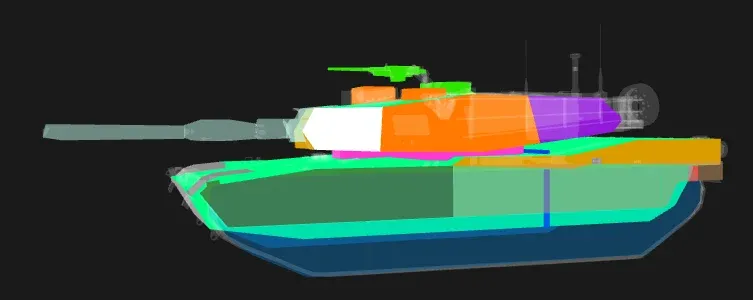
- Look up the vehicles the enemy faction will field before the match.
- Find where the engine and ammo rack sit from the angle you’re likely to shoot from.
- Use it with Vehicle weak spots to plan your first and second shot.
Squad LOS: line-of-sight map
Section titled “Squad LOS: line-of-sight map”Drop a pin anywhere on a map and it shows everything that can see that spot, based on the terrain’s height.
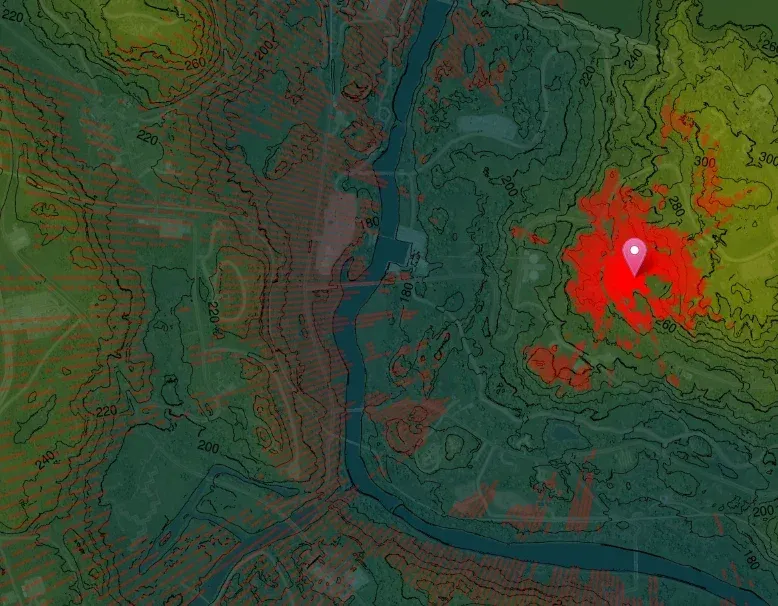
- Pick ambush spots that see the road a vehicle will use, but that few other places can see.
- Check which hills and ridges can see your HAB or radio before you build it.
- Plan routes for logis and vehicles that stay out of the enemy’s sight.
AT tactics & ambushesPut the LOS map to work: ambushes by terrain.
Vehicle weak spotsWhere to hit, and in which order.